
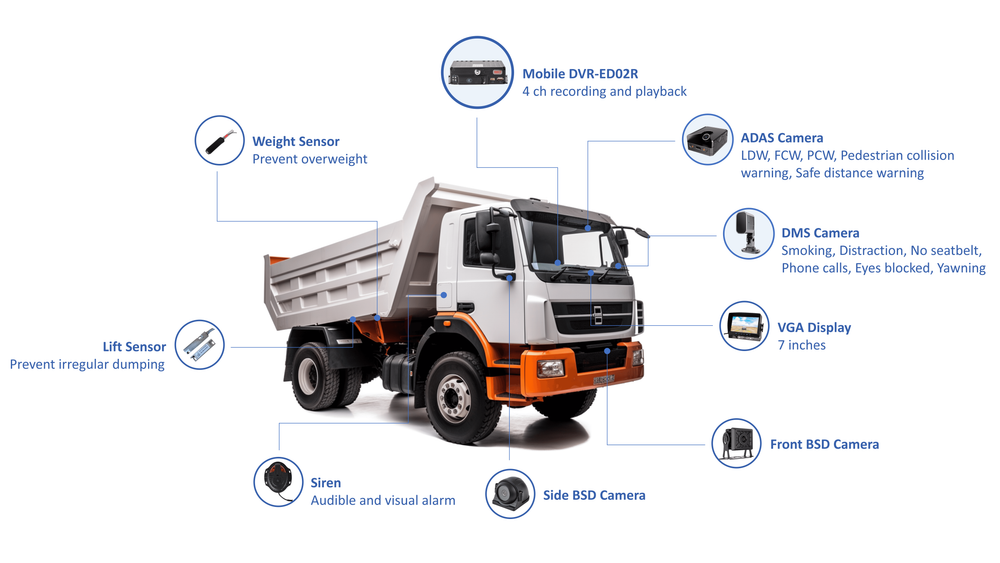
Start with the problem (why three channels trip teams up)
Multiple cameras are stronger evidence, but they also multiply points of failure: power, sync, storage, and footage flow. That mismatch is the real reason deployments stall. If your ops, safety, and installers aren’t speaking the same checklist language you’ll get inconsistent installs and blind spots. I’ve seen this firsthand after installing systems on a 150-truck logistics fleet based in Los Angeles — the trucks that shipped clean reports were the ones where telematics and camera teams planned together and used a common integration path with fleet telematics technology providers.
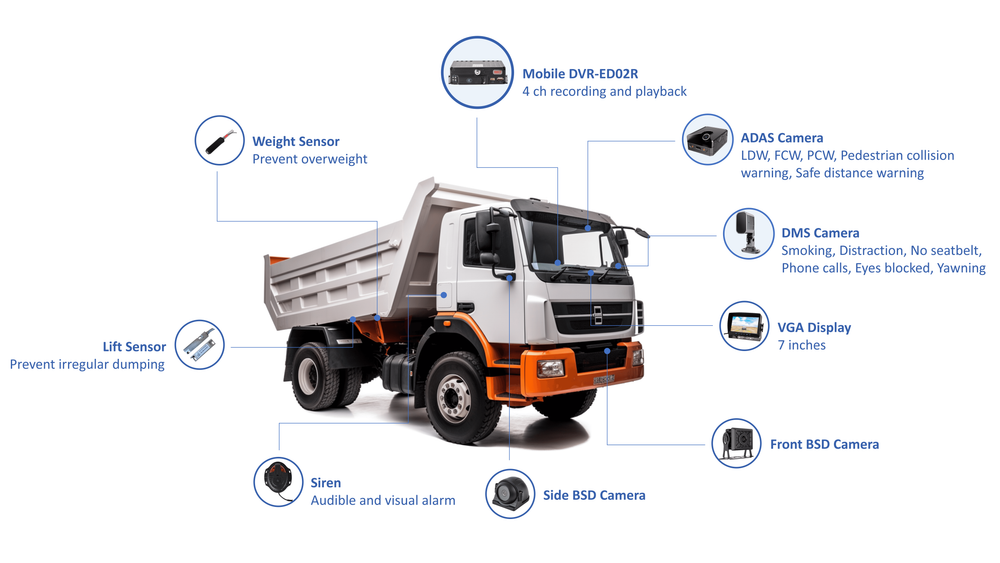
Pre-install must-haves (decisions before a single screw)
Decide these first and you avoid rework later.• Camera roles: front, driver-facing, and rear — define primary use (collision evidence, driver coaching, blind-spot capture) and place cameras accordingly. • Power strategy: constant vs. ignition-switched, and whether you need a hardwire kit with voltage protection. • Recording footprint: target retention days, resolution, and overwrite policy — calculate storage needs per truck. • Integration plan: confirm how video events map to your telematics events and whether timestamps use GPS-synced time. • Vendor fit: verify your chosen fleet camera manufacturer supports the codecs, APIs, and mounting options you require.
Installer red flags (common mistakes and quick fixes)
Installers make the same five mistakes over and over. Spot them and correct them on day one.• Loose power taps — use fused connections and test at ignition cycles. • Ignored grounding — poor ground causes noise and random reboots; bond to vehicle chassis properly. • Blind placement — verify sightlines at different seat positions and when the truck bed is loaded. • Cable strain and heat — route away from exhaust and hinge points; secure with UV-rated ties. • Firmware left outdated — update cameras and NVRs before commissioning to avoid compatibility issues.
Safety team protocols (how to use footage without drama)
Footage helps when it’s reliable and handled correctly. Set these rules now.• Review policy: define who can access raw video, for what purposes, and how long excerpts are retained. • Chain of custody: log every access and export; timestamped audit trails keep evidence usable. • Coaching workflow: prioritize clips for training, mark repeat behaviors, and use short clips for targeted coaching. • Incident scoring: align video evidence to your incident severity levels so safety decisions are consistent.
Data handling and compliance basics
Don’t guess on retention or privacy. Keep this practical.• Minimum data hygiene: encrypt stored files, restrict exports, and rotate keys on a schedule. • Retention rule: keep incident footage longer than routine footage; automate retention where possible. • Privacy considerations: mute or redact driver-facing audio if your policy or local law requires it. • Audit readiness: maintain a compact folder structure and export routine so regulators or insurers can get what they need fast.
Post-install quality routine (small checks that prevent big failures)
Turn maintenance into a short habit.• First-week check: verify camera alignment, event tagging, and sync on three drives. • Weekly glance: confirm device online status on the telematics dashboard and check storage headroom. • Monthly update: push firmware in staged batches and validate event integrity after updates. • Quarterly audit: sample ten incident clips for clarity, timestamp accuracy, and completeness.
Wrap-up that actually helps
Three-channel systems work when teams shrink the problem into clear decisions: role, power, storage, and access. Follow the checklist, keep the installers honest, give safety a simple review process, and automate where you can. That practical clarity is exactly what teams get from BSJ — straightforward hardware, integration-minded firmware, and the documentation that keeps deployments predictable.